LGS Liquidity Sniper — MT5 Indicator | LiveGoldSignal.com
MT5 Custom Indicator  ·  No-Repaint  ·  Version 6.30

LGS LIQUIDITY SNIPER

Gold (XAUUSD) · Forex · Crypto · Stocks & Indices · M1 to D1

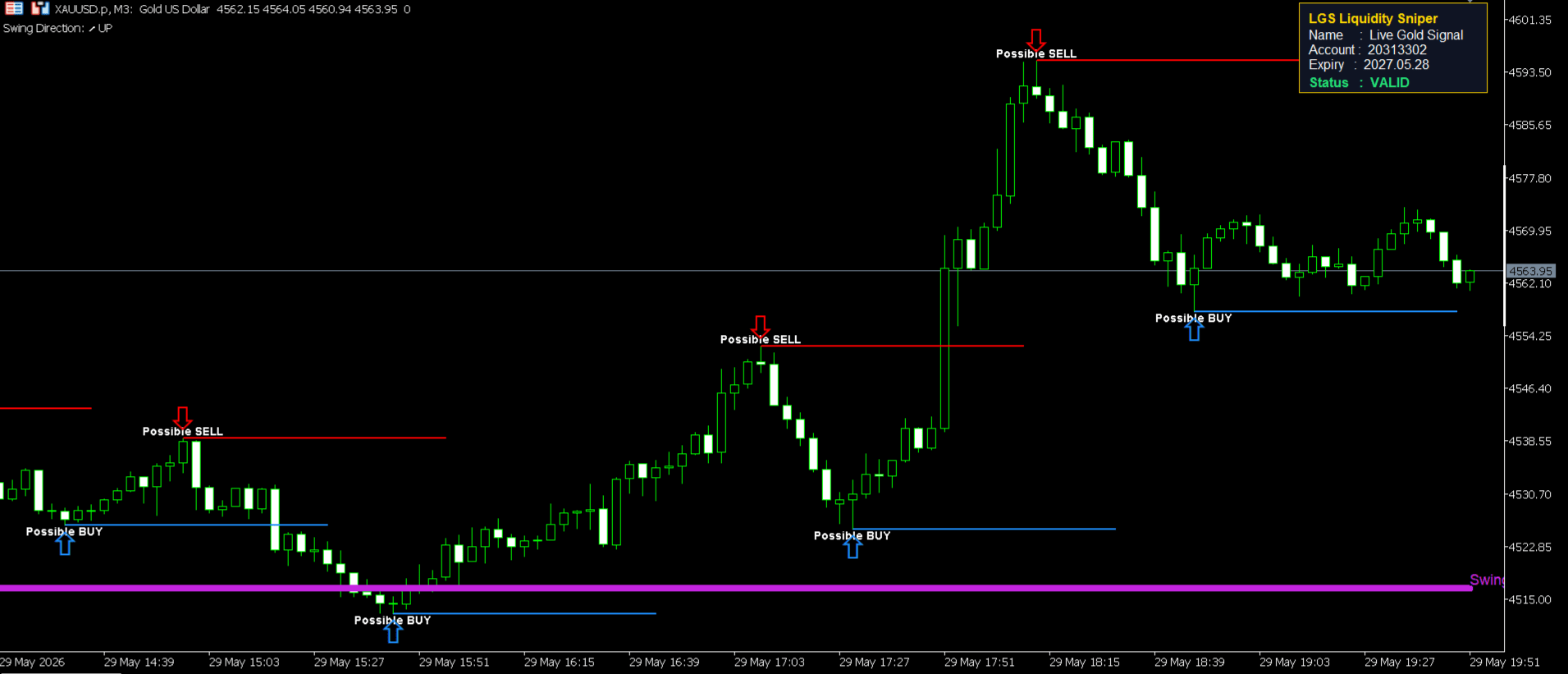
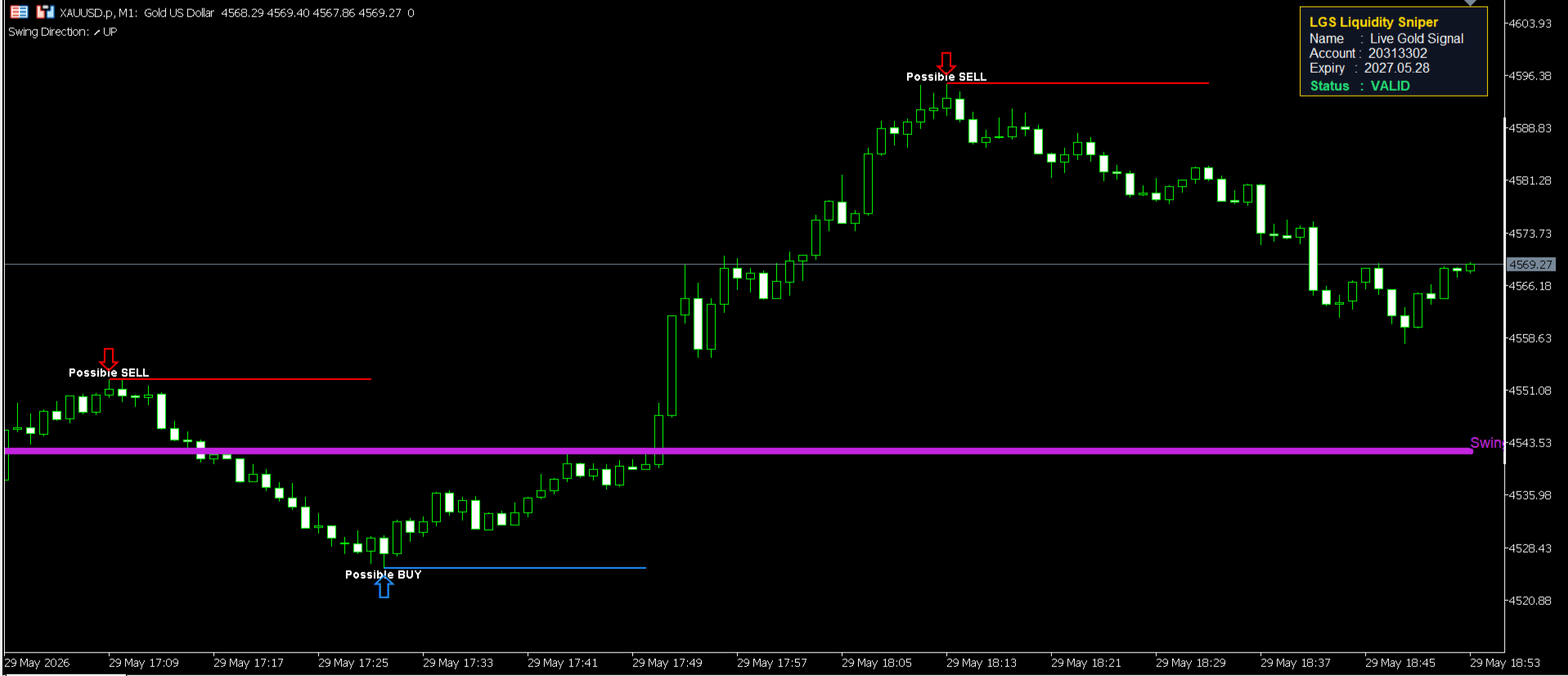
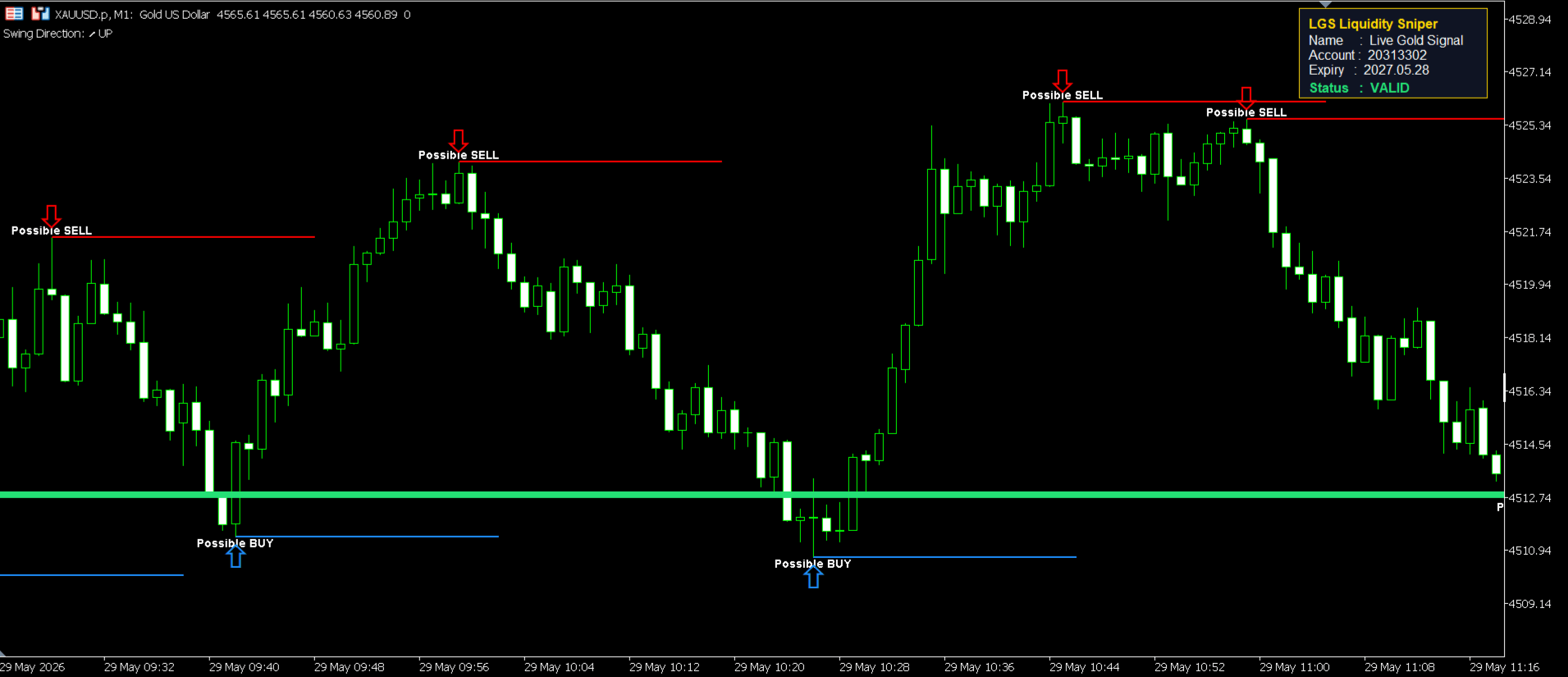
The LGS Liquidity Sniper is a professional-grade MetaTrader 5 indicator that automatically detects high-probability Swing Highs and Swing Lows — the exact price levels where institutional liquidity is concentrated. It marks Possible SELL and Possible BUY zones with precision arrows and horizontal lines, giving you a clear edge before price reacts. Specially engineered for Gold (XAUUSD), it works equally well on any Forex currency pair, cryptocurrency, stock index, or commodity — across every timeframe from M1 to Daily. With its built-in no-repaint guarantee, every signal you see is a confirmed, fixed level — never redrawn, never misleading.

▼ Possible SELL
▲ Possible BUY
↘ Swing HIGH Zone
↗ Swing LOW Zone
XAUUSD  ·  Gold / US Dollar
M1 M5 M15 H1 H4 D1
LGS Liquidity Sniper Chart 1
LGS Liquidity Sniper Chart 2
LGS Liquidity Sniper Chart 3
Lifetime License — One Time Payment $299 ✓ No monthly fee  ·  ✓ Lifetime updates  ·  ✓ Instant delivery
🚫No Repaint
Instant Delivery
📊M1 to D1 Timeframes
🏆Any MT5 Symbol
🔔Pop-up & Sound Alert
Chart Fullscreen
LGS Liquidity Sniper — Features
Why LGS Liquidity Sniper

Packed With Professional Features

Every feature inside the LGS Liquidity Sniper is built for real traders — not just pretty visuals. From no-repaint signal logic to multi-market compatibility, every detail is engineered to give you a genuine edge in the markets.

🎯
Precision Swing Detection
The indicator uses a dual-side confirmation algorithm — it checks both the left and right bars before marking any Swing High or Low. This means every signal you see on your chart is a genuinely significant price level, not a random noise spike. The minimum swing size filter further eliminates micro-swings that have no trading significance.
Left & Right Confirm Noise Filter Min Swing Size
🚨
Instant BUY / SELL Alerts
The moment a new Possible BUY or SELL zone is confirmed, you receive an instant alert — pop-up notification, sound alert, and a printed log in the MT5 journal. You never have to watch the screen manually. The alert system fires only on newly confirmed signals, not on historical bars, so you are never spammed with false notifications at startup.
Pop-up Alert Sound Alert MT5 Journal Log
🏠
Smart Distance Filter
A built-in minimum distance filter prevents the chart from being cluttered with overlapping signals. If two swing highs or two swing lows are too close in price, only the stronger one is kept. You can adjust the MinDistance setting in points to control how far apart signals must be. This keeps your chart clean, readable, and focused only on the most significant liquidity levels that actually matter.
Min Distance Filter Clean Chart Adjustable Points
🌐
Universal Market Compatibility
The LGS Liquidity Sniper works on every MT5 symbol without any configuration change — Gold (XAUUSD), Forex pairs, cryptocurrencies, stock indices, commodities, and more. Switch between symbols and the indicator adapts automatically. It is especially optimized for Gold (XAUUSD), where liquidity sweeps are the most powerful and frequent trading setups.
Gold (XAUUSD) Forex Pairs Crypto & Indices
🕑
All Timeframes — M1 to D1
Whether you are a scalper on M1 or M5, an intraday trader on H1 or H4, or a swing trader on the Daily chart — the LGS Liquidity Sniper works perfectly on every timeframe. The SwingLength and RightBars settings are fully adjustable so you can fine-tune signal sensitivity to match your exact trading style and the timeframe you prefer.
M1 · M5 · M15 H1 · H4 Daily
🔒
License Panel & Security
A clean license panel displays in the top-right corner of your chart showing your name, account number, expiry date, and status in real time. The indicator verifies your license on every chart load. If the license is invalid or expired, all signals are disabled automatically — protecting both the developer and ensuring only authorized users benefit from the full indicator.
Account Lock Expiry Check Live Status Panel
6+
Timeframes Supported
M1 to Daily
100%
No-Repaint
Guaranteed Signals
2-in-1
Liquidity Zones
+ Smart Distance Filter
Any
MT5 Symbol
Gold · Forex · Crypto
LGS Liquidity Sniper — How It Works
Step by Step

How LGS Liquidity Sniper Works

No complicated setup. No manual drawing. The indicator does all the work automatically. Here is exactly what happens from the moment you attach it to your chart to the moment you receive a trading signal.

01
Step One
Attach the Indicator to Any MT5 Chart
Simply drag and drop the LGS Liquidity Sniper onto any chart in MetaTrader 5. It works on any symbol — XAUUSD, EURUSD, GBPUSD, BTCUSD, US30, or any other MT5 instrument. Select your preferred timeframe — from M1 all the way to Daily. The indicator loads instantly and begins scanning the chart history automatically. No manual configuration is required to get started.
Drag & Drop Any MT5 Symbol Instant Load
02
Step Two
License is Verified Automatically
As soon as the indicator loads, it checks your MT5 account number against the license database. The License Panel appears in the top-right corner of your chart showing your name, account number, expiry date, and a green VALID status. If the license is invalid or expired, all signals are automatically disabled and the panel shows a red status. You will receive your license key from LiveGoldSignal.com immediately after purchase.
Auto License Check Account Locked Live Status Panel
03
Step Three
Indicator Scans and Marks Liquidity Zones
The indicator automatically scans every bar on the chart using its dual-side confirmation algorithm. For each bar, it checks left-side bars and right-side bars to confirm a genuine Swing High or Swing Low. Once confirmed, it draws a red horizontal line with a Possible SELL label at the Swing High, and a blue horizontal line with a Possible BUY label at the Swing Low. Arrows mark the exact pivot bar. The Smart Distance Filter ensures no two signals appear too close to each other in price, keeping your chart clean.
Left + Right Bar Confirm Horizontal Zone Lines Distance Filter Active
04
Step Four
You Receive an Instant Alert
The moment a new Possible BUY or Possible SELL zone is confirmed on the latest bar, the alert system fires immediately. You receive a pop-up notification on your screen with the symbol name, signal type, exact price, and timestamp. A sound alert plays so you never miss a signal even when you are away from the screen. All alerts are also logged in the MT5 Journal for your records. Alerts only fire on live, newly confirmed signals — never on historical bars at startup.
Pop-up Notification Sound Alert MT5 Journal Log
05
Step Five
Trade the Zone — Signal Never Repaints
Every signal is permanently fixed to the bar where it was confirmed. The zone line stays exactly where it was drawn — it never moves, never disappears, never repaints. You can confidently use it as a reference level for your entry, stop loss, or take profit planning. When price returns to the zone, you have a high-probability reaction point backed by real institutional liquidity. This is the power of trading confirmed, fixed levels rather than constantly shifting indicators.
Fixed Signal — No Repaint Permanent Zone Lines Institutional Levels
  LGS Liquidity Sniper — XAUUSD M5 Chart Example
LGS Liquidity Sniper Chart
▼ POSSIBLE SELL SIGNAL
Symbol XAUUSD
Signal Possible SELL
Price 3352.40
Time 2025.05.29 17:46
▲ POSSIBLE BUY SIGNAL
Symbol XAUUSD
Signal Possible BUY
Price 3341.20
Time 2025.05.29 15:22
Key Settings You Can Customize
LGS_SwingLength
Default: 20
Number of left-side bars required to confirm a swing pivot.
LGS_RightBars
Default: 15
Right-side bars that must close below/above pivot — guarantees no repaint.
LGS_MinDistance
Default: 300 pts
Minimum price gap between two same-side signals to prevent clustering.
LGS_MinSwingSize
Default: 50 pts
Minimum pivot height in points — filters out weak micro-swings.
LGS_ExtendLines
Default: 20 bars
How many bars the zone lines extend to the right after the pivot.
LGS_EnableAlerts
Default: true
Toggle all alerts on or off. Pop-up and sound can be set independently.